LYNX Items
New
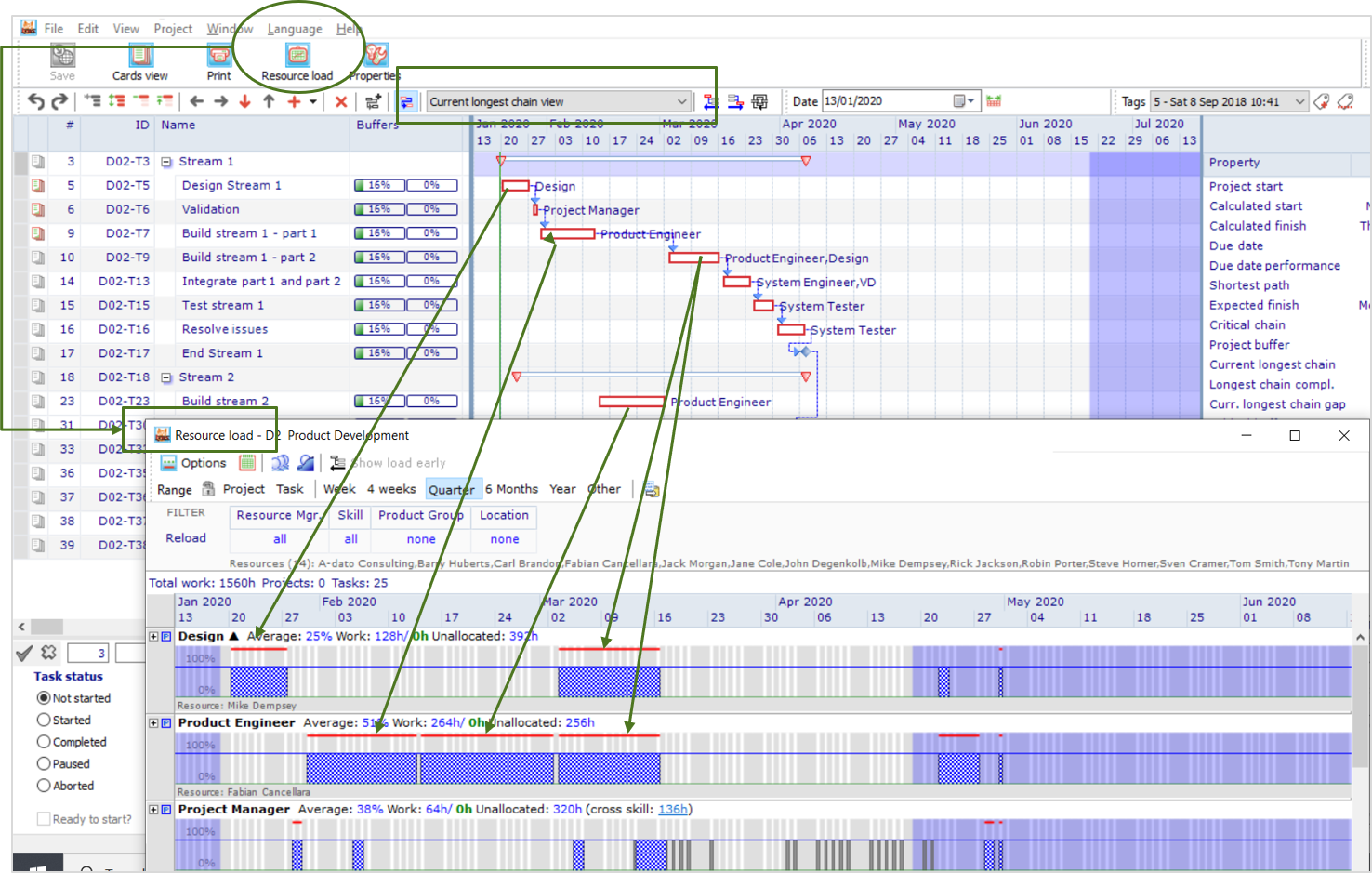
- The resource load graph indicators for skills and resources working on critical tasks has been improved. A clear red line is drawn on top of the skill / resource load graph:
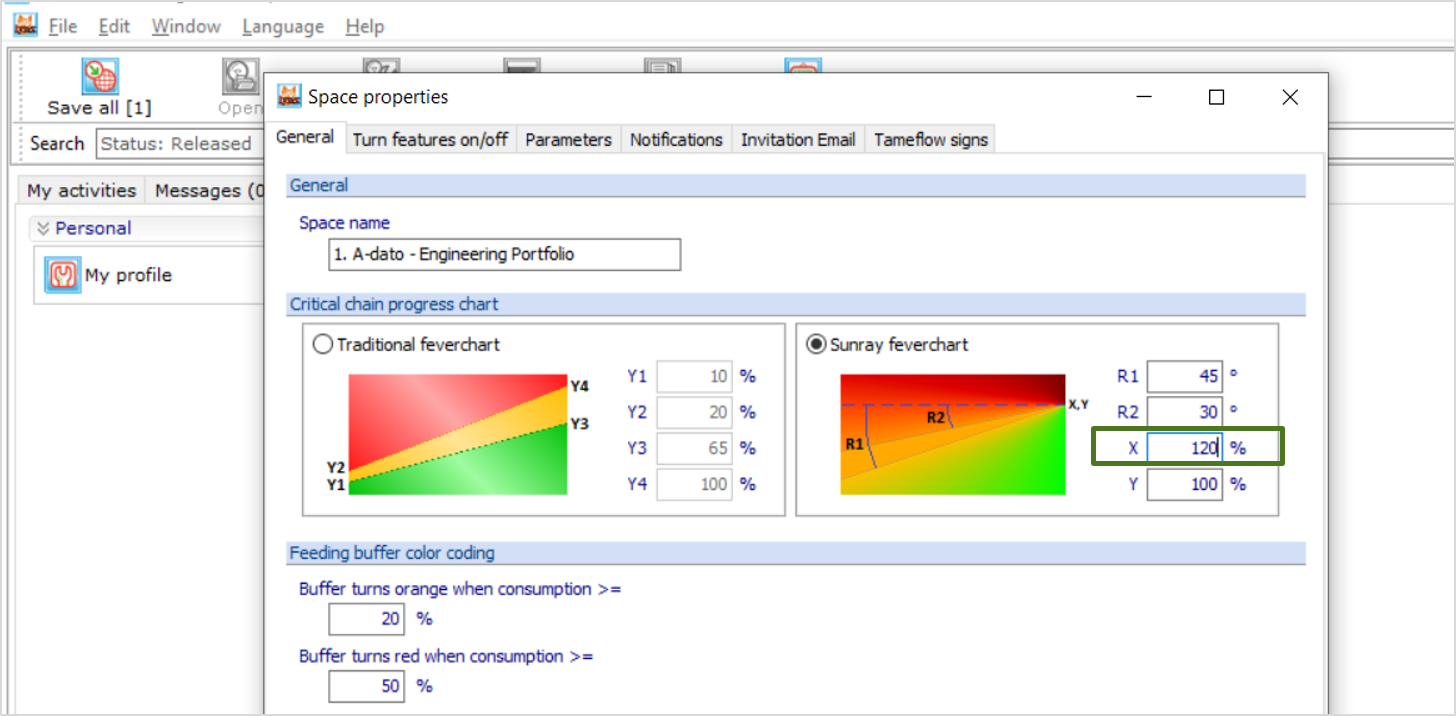
- The Sunray Feverchart settings have been extended with a X-axis parameter as well:
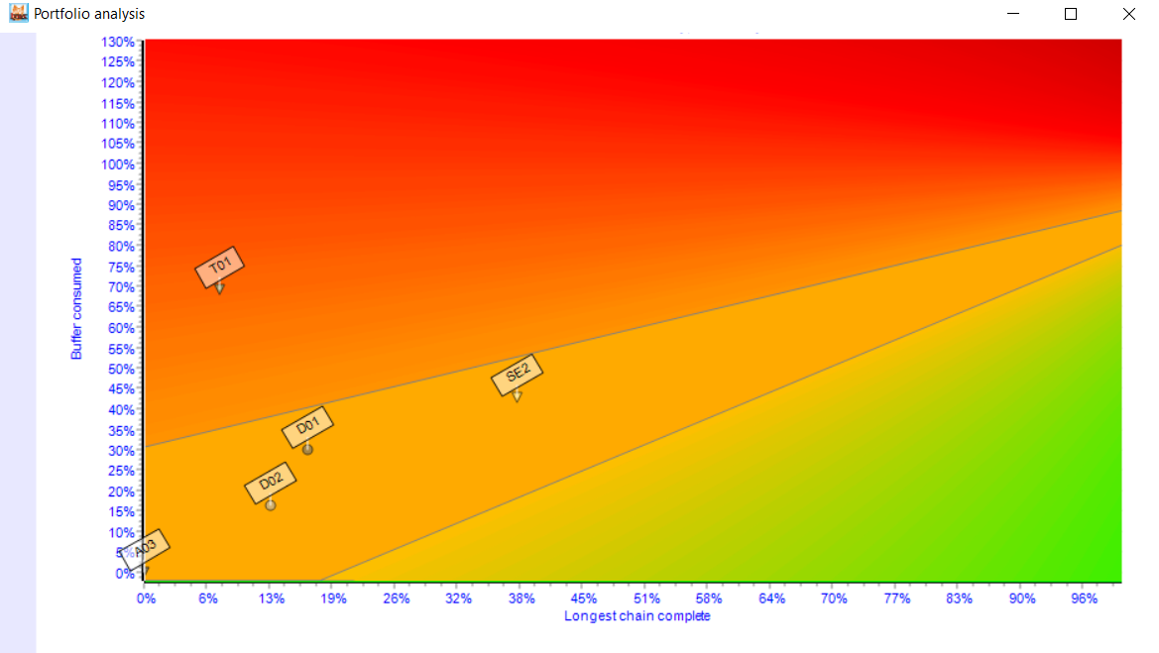
- Example Sunray Feverchart:
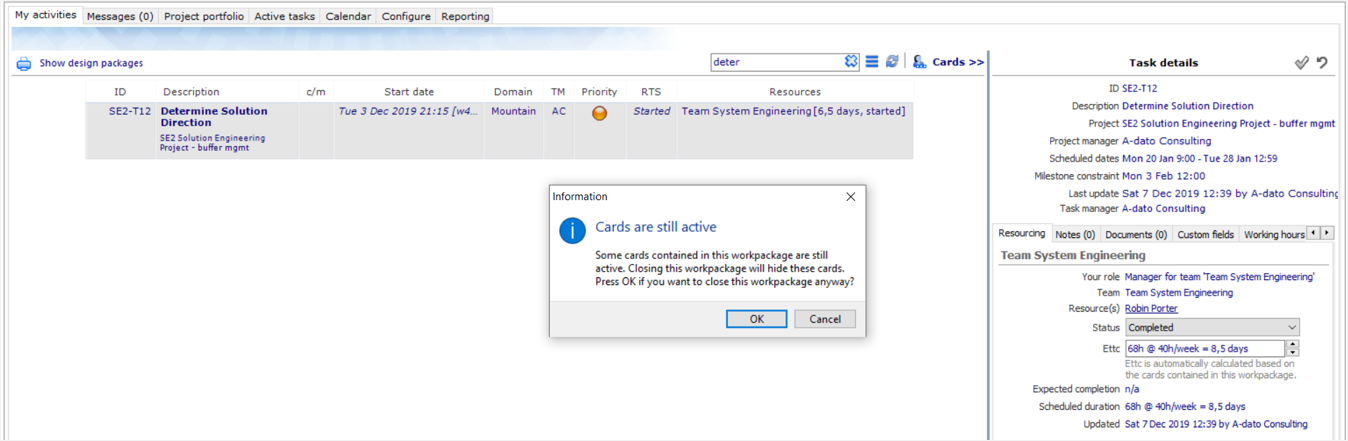
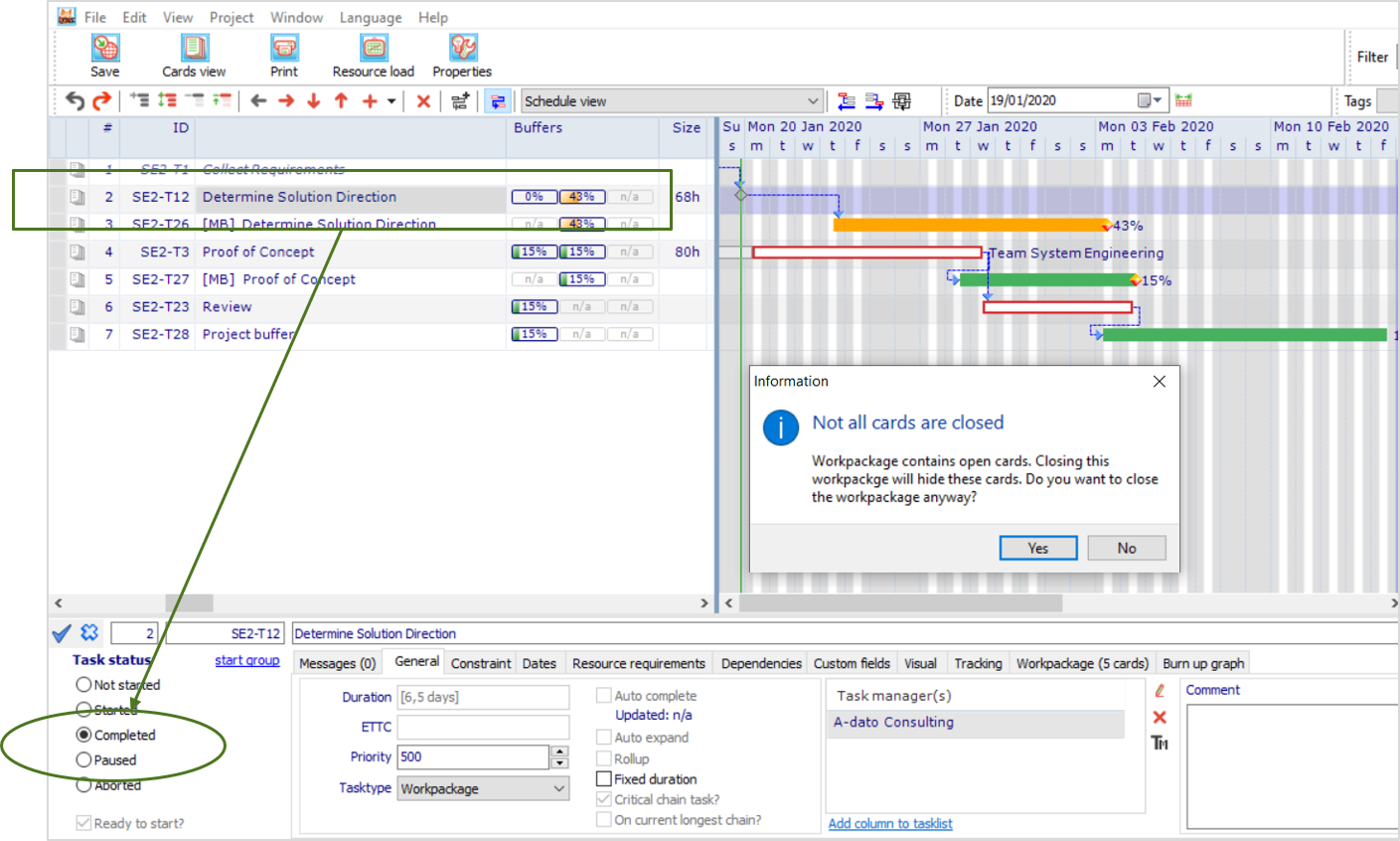
- When a Workpackage is set to completed LYNX checks if all cards within the workpackage are closed and triggers a warning if not all cards are closed, both via the Project Window as via My Activities:
- Warning via the Project Editor window:
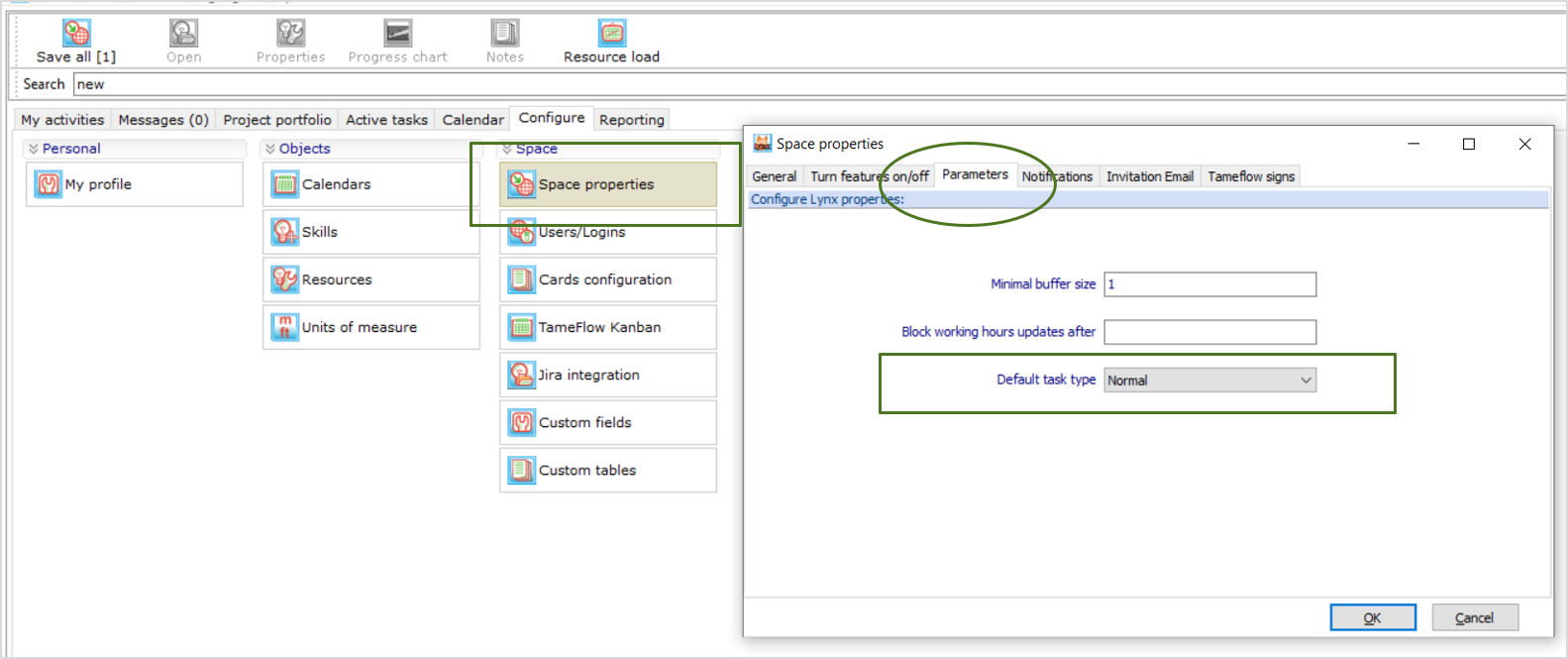
- "Default tasktype" has been added to the Space Properties. Task type normal, Workpackage and level of effort can be selected:
- The filtering and identification of buffer feeding chains of (milestone)buffers has been improved, including the saving process: each feeding chain within a project (projects can have multiple feeding chains) is now saved in a new table. This includes both the original feeding chain as the current feeding chain for each feeding chain
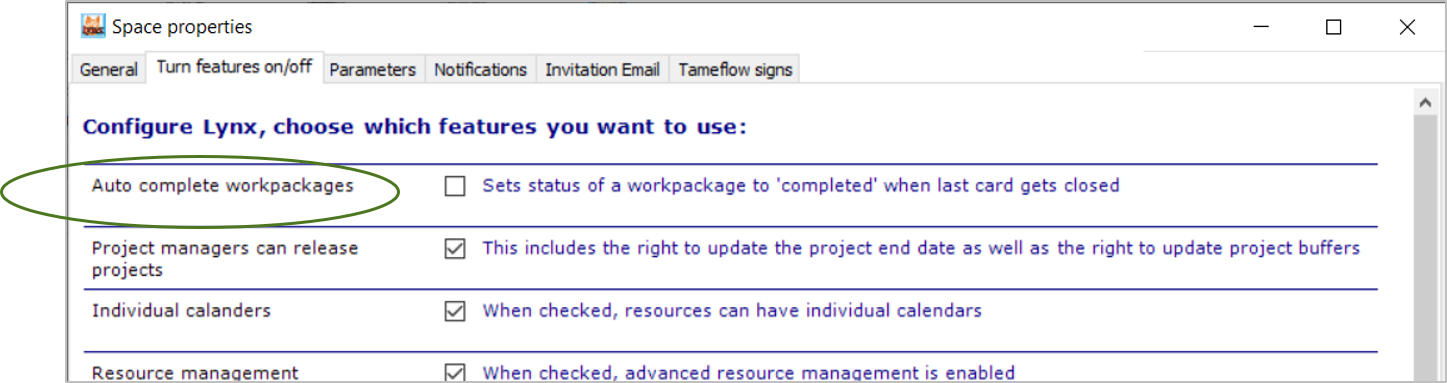
- Auto-complete setting for Workpackages has been added to the Space Properties / Turn Features on/off. If unticked, once all cards are completed, the Worpackage keeps the status started, and it is up to the user to decide if the Workpackage is really completed:
- This behavior is then occurring via the My activities task list:
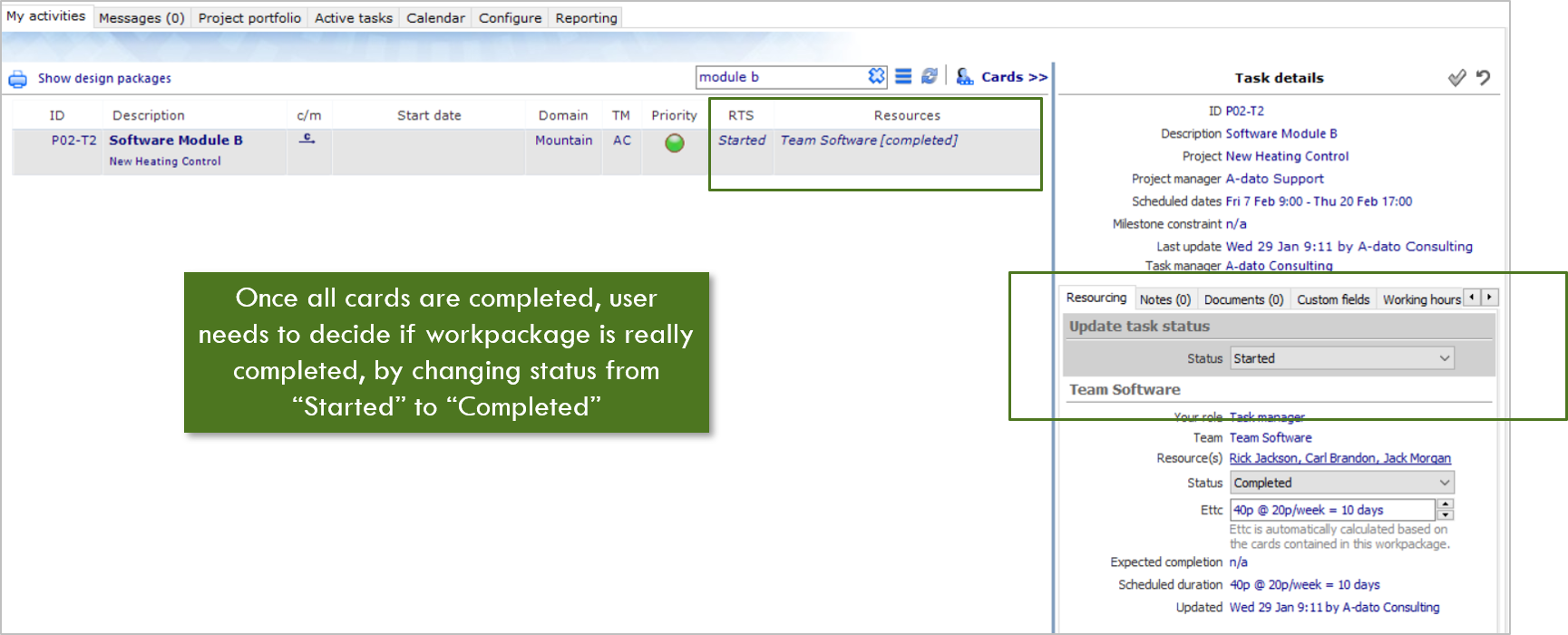
- This behavior is then occurring via the My activities task list:
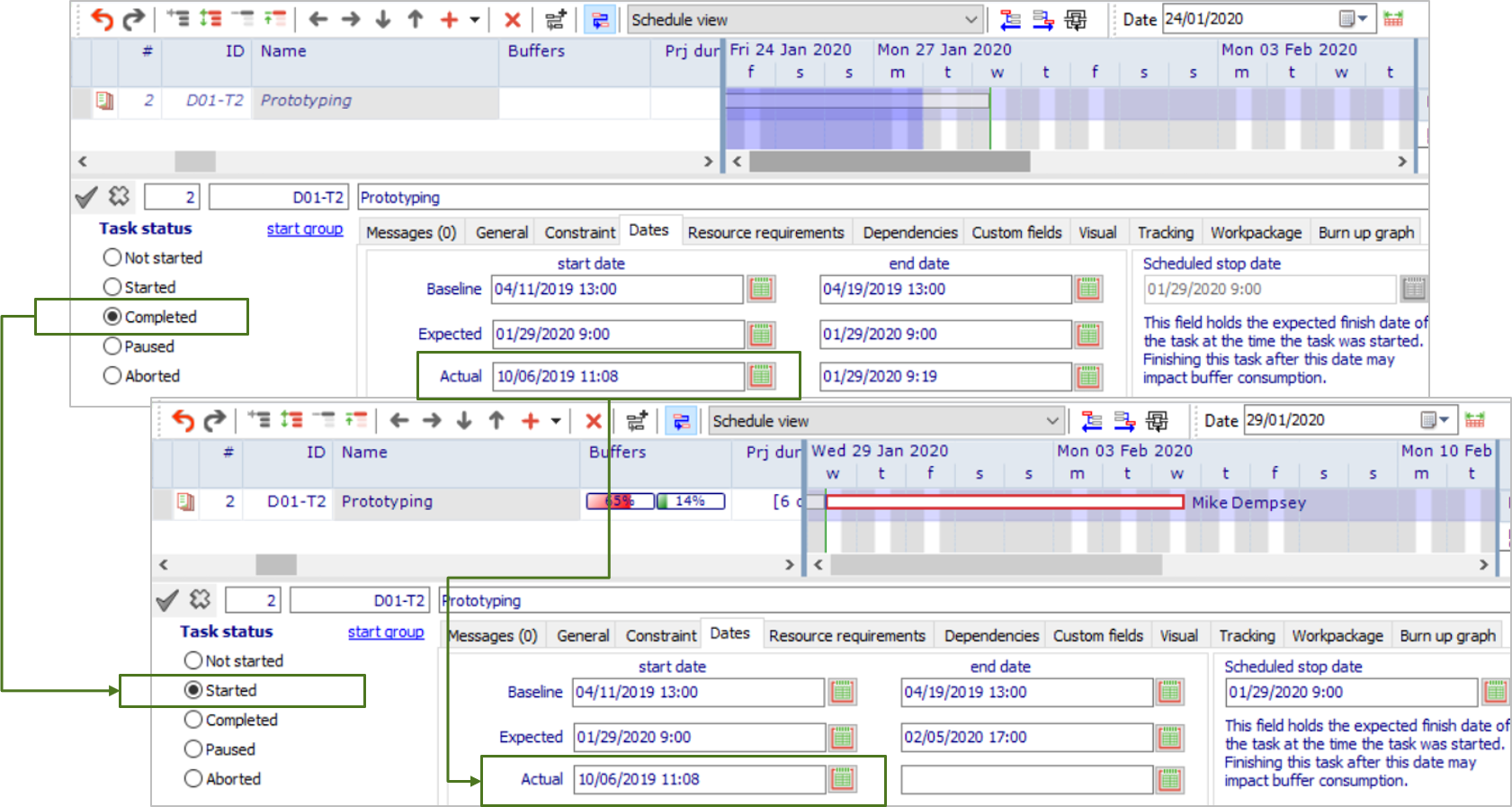
- "Actual Start Date" behavior has been updated: when reopening a task or workpackage the initial start date is used again (the user may update if needed):
Fixes/Changes
- Calculation of the buffer percentage progress has been revised and improved
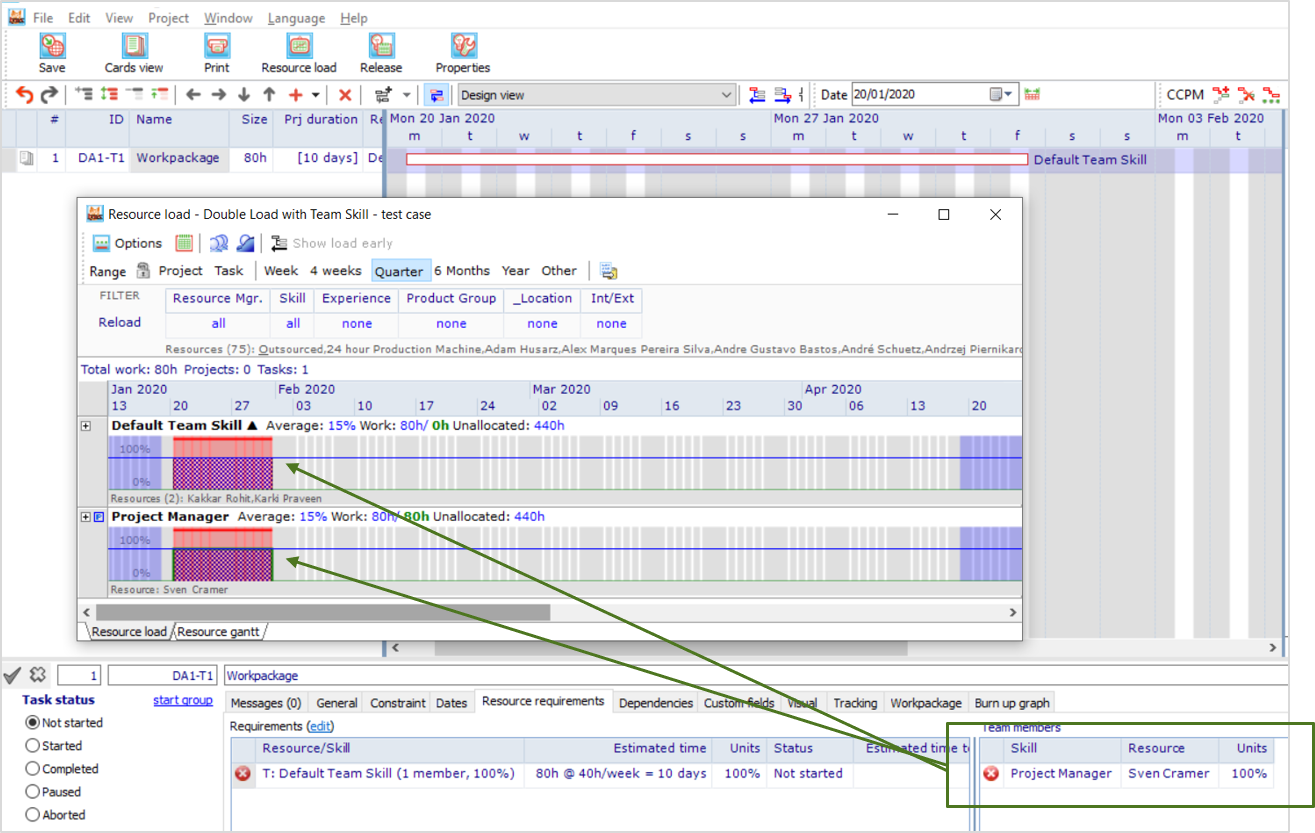
- Issue with double booking of resource load of an embedded team skill has been resolved:
- Printing: rowhight was not equal if multiple pages needed to be printed side by side. This has been fixed
- Printing: date range is now set to the current date range of the project being printed.
- Scheduler misaligned a project to the left of the green line. This has been fixed.
LYNX TameFlow Items
New
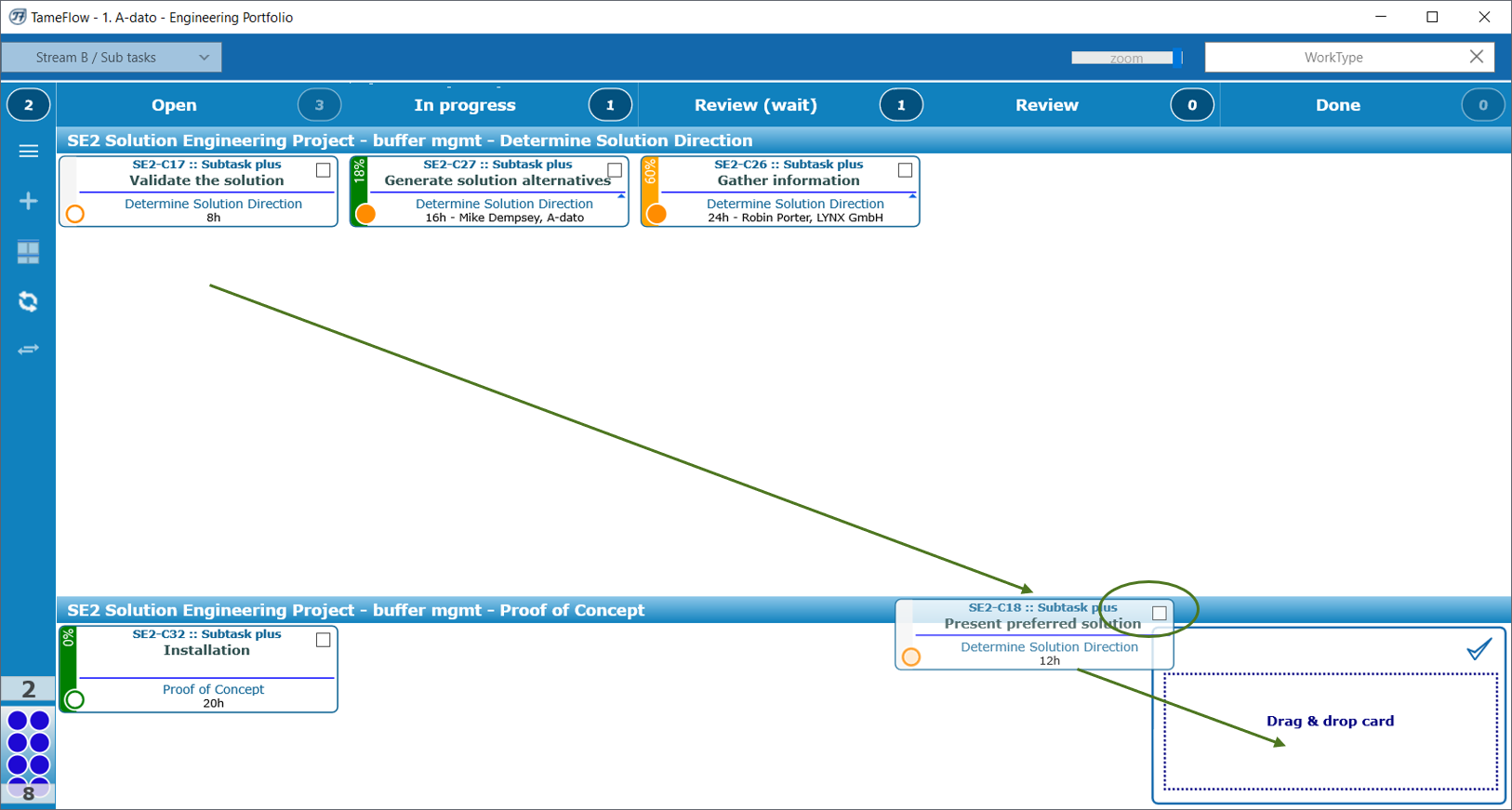
- Adding cards predecessors has been simplified, also through adding the possibility of drag and drop (see also this article Predecessor Control for Cards (Full-kit)):
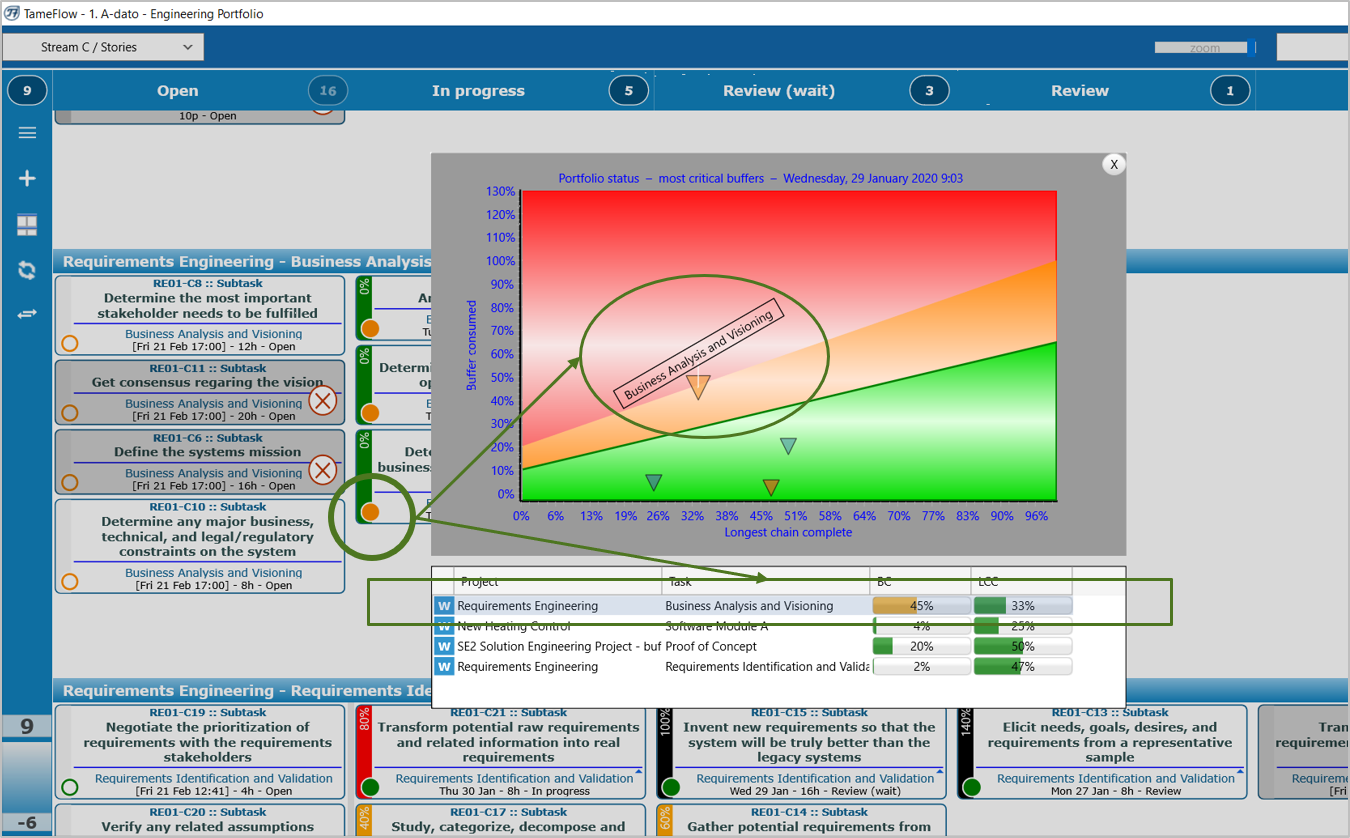
- When double clicking on the "Buffer Circle" the Buffer Position of the workpackage concerned is highlighted and marked:
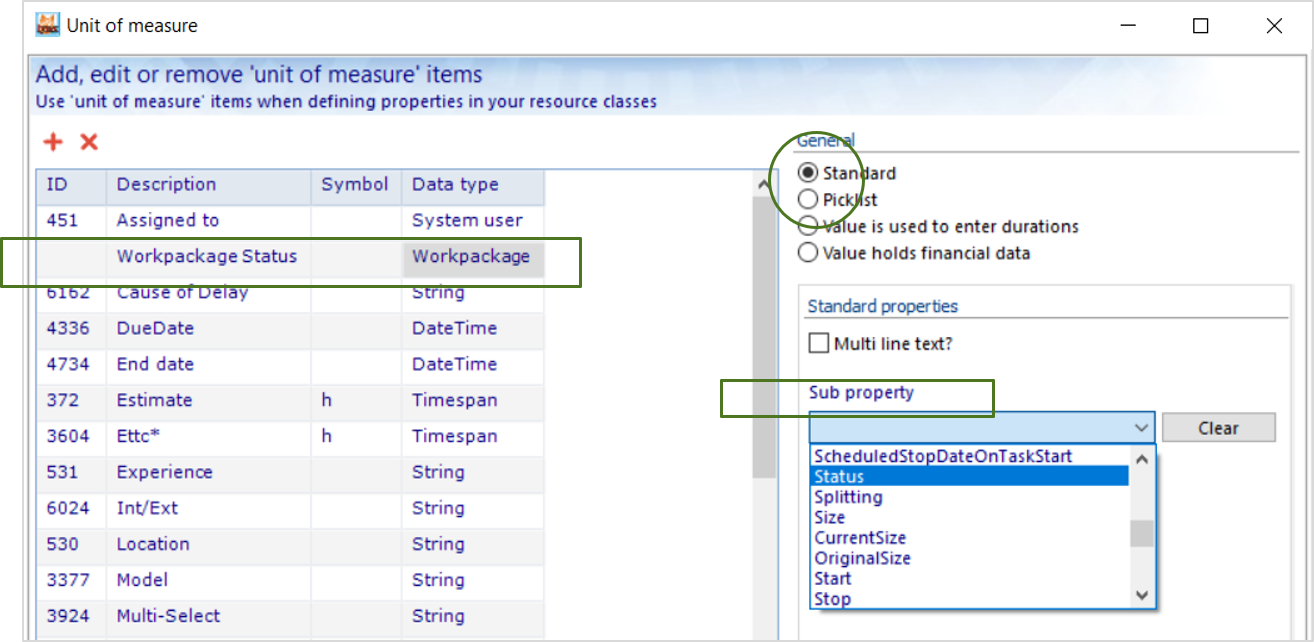
- Additional option for automatic synchronisation of card "Workpackage/sub-property" fields if such a Workpackage field was updated has been added. For example if the status of a workpackage in LYNX is "not-started", the card workpackage.status field also has the status "not-started". If the Workpackage Status is set to "Started" all cards get the status "started". In addition if these cards already were published and exist in JIRA , a synchronisation is triggered in which also all cards in JIRA will receive the workpackage.status value of "Started" . This procedure applies to any workpackage.sub-property field, configured via the Unit-of-Measure Table:
- Automatic filter added to the LYNX TameFlow Feverchart: only the buffers positions are displayed relevant for the user, for example by department, skill or discipline, as defined via "Tameflow Kanban" configuration settings
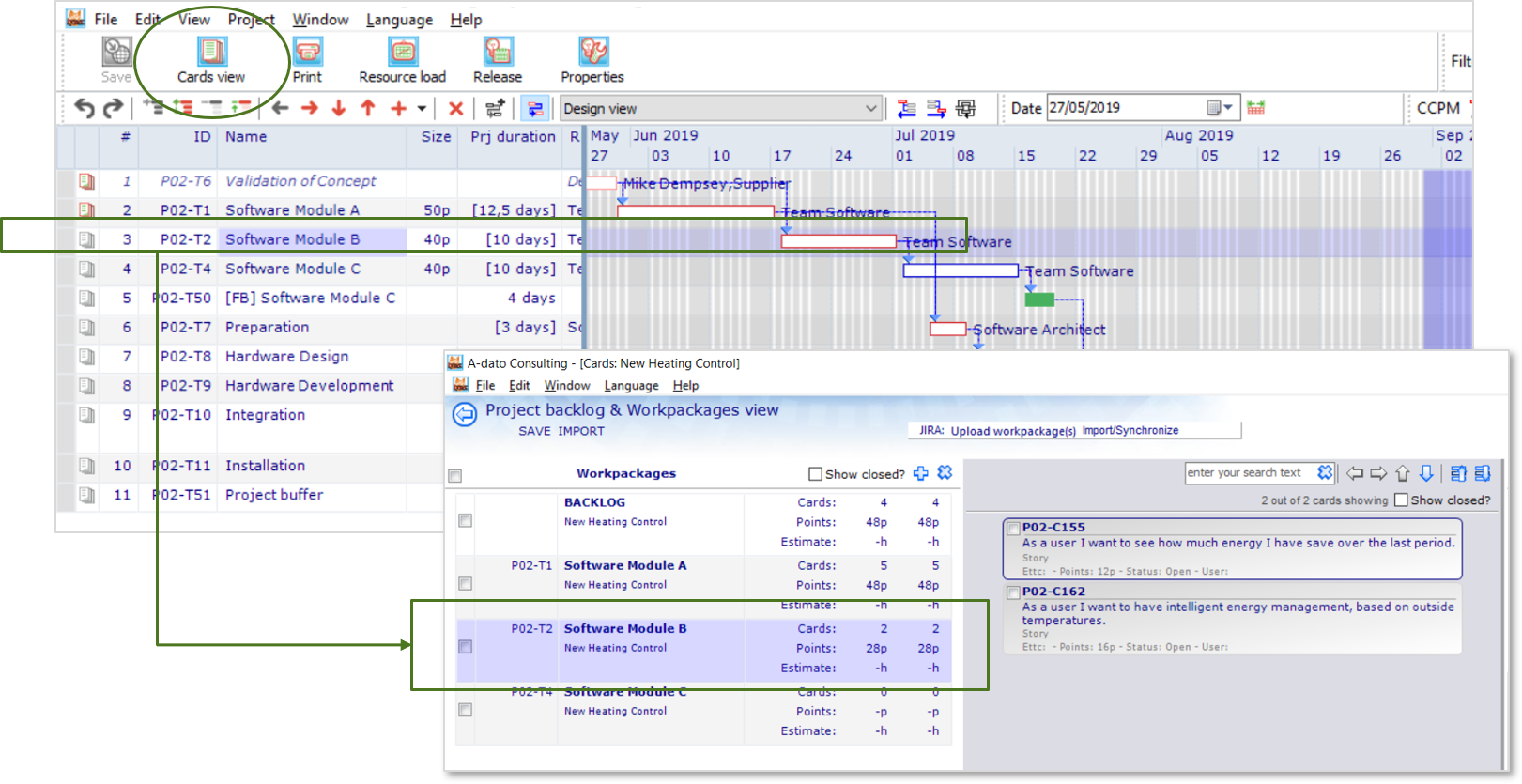
- When opening the Cards view within the project editor window, LYNX automatically positions on the Workpackage selected in the Gantt Task List:
Fixes/Changes
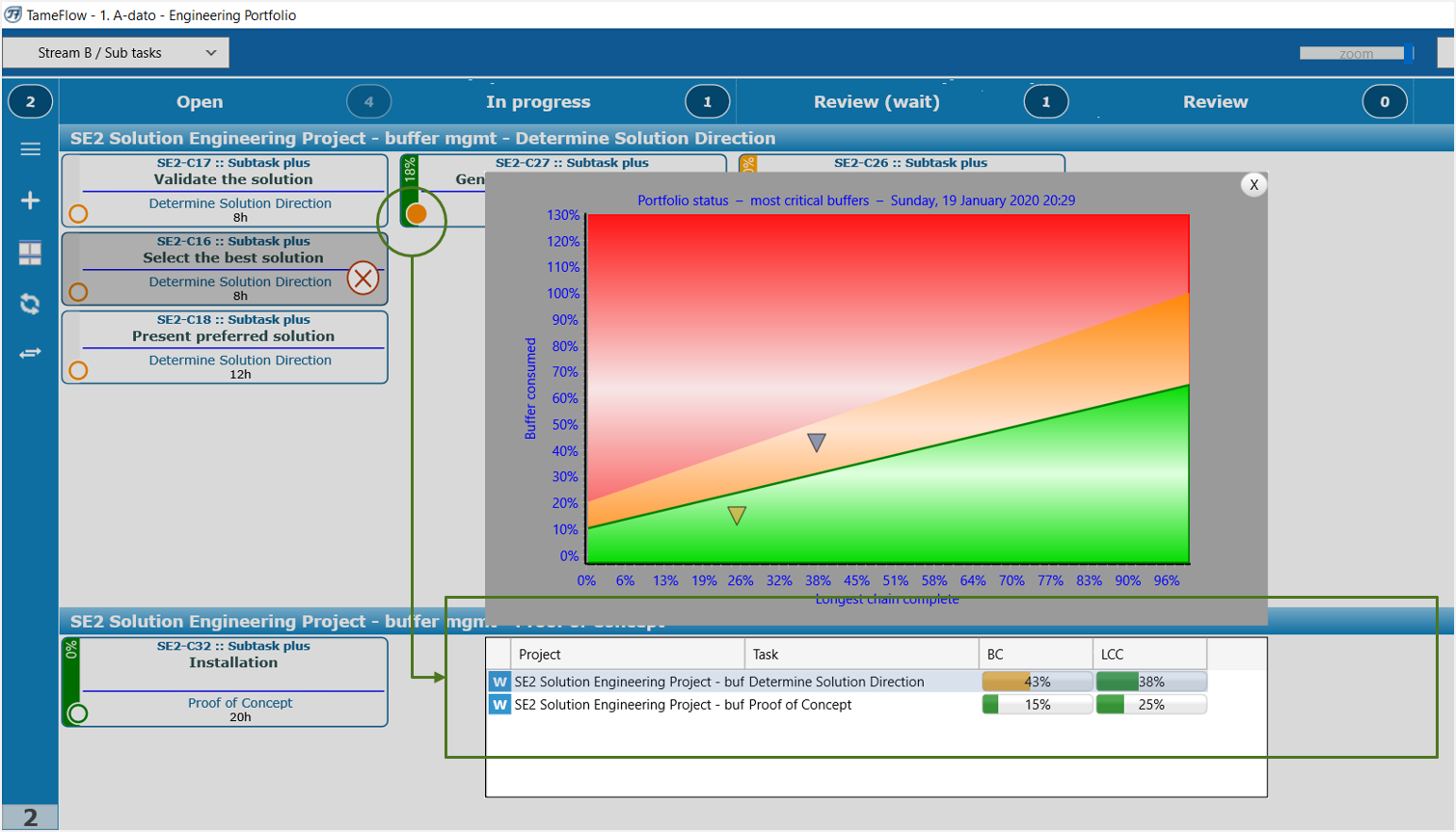
- Feverchart buffer information shows the correct buffer position info again (progress / buffer consumption) for all buffer displayed:
- When creating a card together and also a document was uploaded a server exception was triggered. This has been resolved
- When dragging a card in and out a of a column in TameFlow the card was not always repositioned correctly on the TameFlow board
- Workpackage statistics fields were not automatically refreshed if cards were dragged into a Workpackage
Comments
0 comments
Please sign in to leave a comment.